Equipment and materials for education, makers and small businesses.
Product imagery based on manufacturer photography.
Equipment or materials in application photos may be sold separately.
Build a wheeled robot, explore its sensors and turn your first coding ideas into movement. Start with blocks and progress to Python in mBlock.
In stock
Makeblock · Coding robots
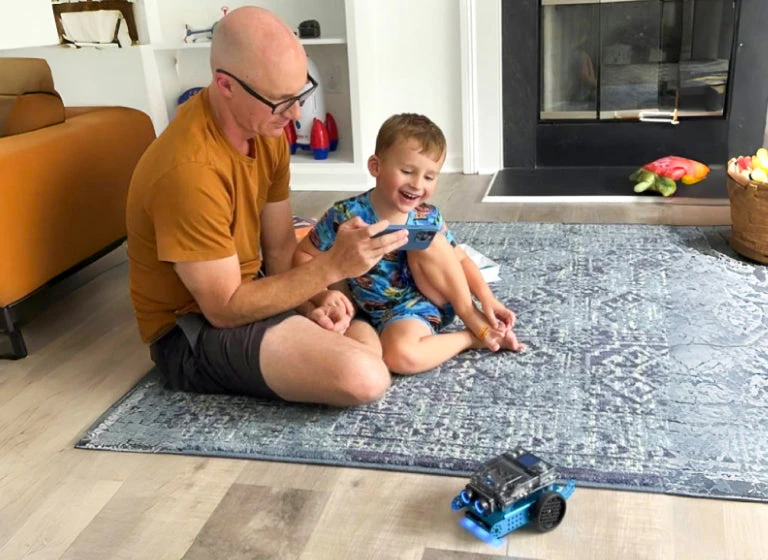
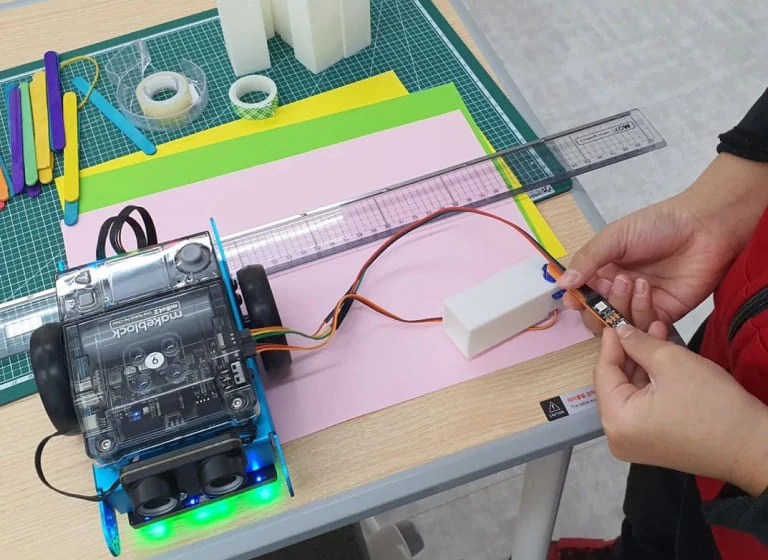
mBot2 combines a buildable aluminium chassis with CyberPi, encoder motors and sensors for movement and line-following. A program can respond to an obstacle, follow a track or change what appears on the colour display. Learners see the result of each instruction in the physical world, making it easier to test a prediction and discuss why the robot behaved that way.
Begin with short movement sequences in mBlock, then introduce conditions, sensor readings and Python as the projects develop. The standard wheeled build suits tabletop routes and classroom challenges; compatible mBuild modules provide further ways to experiment. Makeblock’s Rover add-on changes the mechanical build, while the complete Rover Kit is available as a separate product.
| Brand | Makeblock |
|---|---|
| Configuration | Standard configuration |
| Power | 3.7 V · 2,500 mAh rechargeable battery |
| Display | 1.44-inch colour screen |
| Sensors | Ultrasonic, quad RGB, light, gyroscope and accelerometer |
| Movement | Two encoder motors with wheels and a caster |
| Expansion | Compatible mBuild sensors and modules |
| Processor | Dual-core Xtensa LX6 · 240 MHz |
| Controller | CyberPi with CyberOS |
| Programming | Block-based coding and Python in mBlock 5 |
| Connectivity | USB-C, Wi-Fi and Bluetooth |
| Construction | Aluminium chassis with modular mounting points |
| Remote control | Bluetooth controller optional · sold separately |
| Product family | Coding robots |
| Applications | Code |
Standard configuration
This is the standard wheeled mBot2. The Rover add-on pack converts an mBot2 into a tracked robot with mechanical arms and a Bluetooth controller; it does not include the base robot. The Rover Robotics Kit includes both the mBot2 and Rover add-on pack.
Yes. Build the wheeled robot from the supplied chassis, motors, sensors and controller using Makeblock’s guide. The kit includes the mounting screws and screwdriver needed for assembly.
Yes. Start with visual blocks in mBlock 5, then move to Python. In Upload mode, you can view the Python generated from blocks to compare the two approaches.
Use mBlock 5 on a Windows or macOS computer, or the mBlock web editor with mLink 2 installed. A USB connection provides a straightforward way to set up the robot and upload programs.
Yes. Add compatible mBuild modules for more projects, or use the Rover Robotics Add-on Pack to change the build. These expansion parts are sold separately from the standard mBot2 kit.